
How to Download Score Hero for PC (Windows 10, 11 and Mac)
First Touch Games Ltd.
- BlueStacks or LDPlayer
- Android via emulator
- Mouse and keyboard
- Google Play Games route

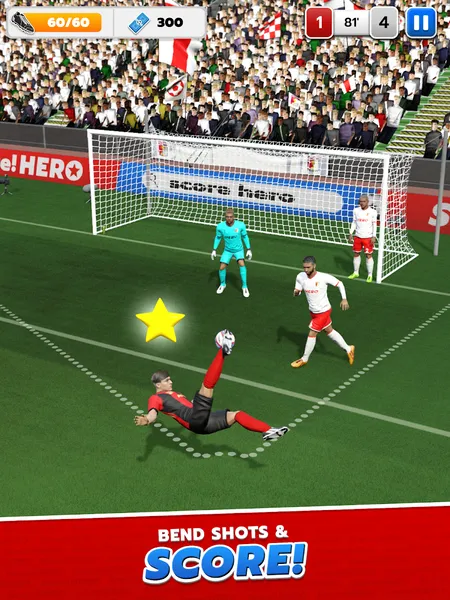
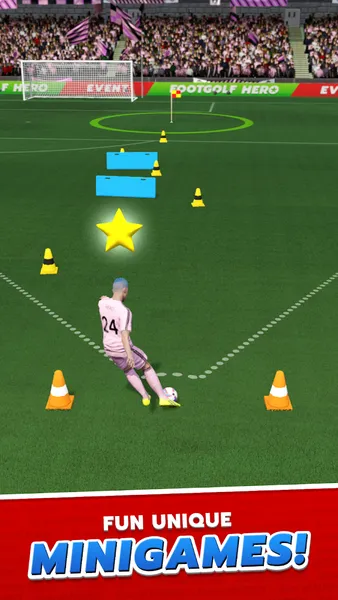
The game is identical on PC. Only the input method and the screen size change.
There is no native Windows or Mac version of Score Hero for PC, because First Touch Games only ship it for phones. To play it on a computer you run the Android version inside a free Android emulator such as BlueStacks or LDPlayer, or through Google Play Games on PC where the game is offered in your region. This page covers both routes, which emulator suits the game, how the controls translate to a mouse, and what your computer needs. If you want the phone build itself, the Score Hero mod apk page covers that.
Can you play Score Hero on PC?
Yes, but always through an Android layer of some kind. Score! Hero is an Android and iOS game with no desktop release, so a computer cannot install it directly the way it installs a normal program. An emulator solves that by creating a small Android device on your machine, and the game then installs inside it exactly as it would on a handset. The only way to play without a third party emulator is Google Play Games on PC, Google’s own client, and only where the title is listed for it.
Two ways to run Score Hero on PC, compared
Pick from this table and skip ahead if you already know which you want. The short version: use Google Play Games on PC if the game appears in its catalogue and you want the lightest setup, and use an emulator if you want full control, the modified build, or the game is not in Google’s PC catalogue for you.
| Android emulator | BlueStacks, LDPlayer, NoxPlayer or MEmu, free, works everywhere, heaviest on resources, needed for the mod build |
| Google Play Games on PC | Official Google client, no third party emulator, lighter, limited to titles Google lists and to Windows |
Both run the same Android game. The difference is how much of your machine it uses and whether you are tied to Google’s catalogue.
Best emulator for Score Hero in 2026
All four common emulators run Score! Hero without trouble, because it is a light game that already runs on modest phones. Choose on how the launcher behaves and how heavy it is on your machine rather than on frame rate, which is not a factor here.
| BlueStacks 5 | Largest install base, easiest setup, the safe default for most people |
| LDPlayer 9 | Lighter on older machines, low input latency |
| NoxPlayer | Built in macro and script recorder, multi instance, useful for power users |
| MEmu | Works well on older or lower specification PCs |
For a first install, BlueStacks is the least fiddly. Download it only from its official site, since the emulator space attracts fake installers. LDPlayer is the pick if your computer is a few years old.
How to install Score Hero on Windows 10 and 11
The steps are the same whether you use BlueStacks or LDPlayer. The whole process takes about ten minutes, most of which is the emulator’s first boot.
- Download the emulator from its official website and install it, then let it finish its first start up.
- Sign in with a Google account inside the emulator if you want to install from the Play Store, or skip this to sideload the APK instead.
- To use the Play Store version, search Score! Hero in the emulator’s Play Store and install it. To use the mod build, use the download button above, which opens a short download page and then the third party host, and save the APK to your computer.
- Drag the downloaded APK onto the emulator window, or use its own Install APK option, and wait for it to appear on the virtual home screen.
- Set the emulator to portrait before the first launch, because Score! Hero is a portrait game and a landscape window leaves it letterboxed.
- Open the game and let it load once before changing any settings.
How to install Score Hero on Mac
Google Play Games on PC is Windows only, so on a Mac your route is an emulator that supports macOS. BlueStacks offers a Mac build, including a version for Apple Silicon, and the flow is the same as on Windows.
- Download the Mac build of BlueStacks from its official site and install it, allowing it in System Settings if macOS asks.
- Open it and complete the first run, then sign in with a Google account or prepare to sideload the APK.
- Install Score! Hero from the Play Store inside the emulator, or drag the downloaded APK onto the window.
- Set the display to portrait and launch the game.
Score Hero PC controls: mouse and keyboard
This is where Score! Hero suits a computer better than most games. Every move in the game is a swipe that draws the ball’s path, and a mouse click and drag maps onto that swipe almost perfectly. You hold the left button, drag the line where you want the pass or shot to go, then release. A mouse is steadier than a thumb, so aiming a curled shot into a top corner is often easier on a PC than on a phone.
Keyboard controls matter far less here than in an action game. There is no character to walk and no buttons to hold, so the useful keyboard bindings are only for menu shortcuts, and most players never set any. If a page promises elaborate WASD controls for Score! Hero, it is describing a template rather than this game. The mouse is the control that counts.
Power features: multi instance, macros and script recording
The heavier emulators add tools that a phone cannot. NoxPlayer and LDPlayer both offer multi instance, which runs several copies of the game at once, and a macro or operation recorder that replays a saved sequence of inputs. In NoxPlayer these are the Multi Drive and Script Recorder features, and LDPlayer has its own synchroniser and recorder.
For a single player puzzle game like Score! Hero these are niche, and worth knowing about rather than needing. Recording a macro to replay a level you have already solved is possible, but it removes the point of playing, and the mod build already removes the energy waits that a macro would otherwise sit through. Treat these as tools for accounts and farming rather than for enjoying the game.
What your computer needs for Score Hero on PC
Score! Hero is light, so the demands come from the emulator running a whole Android system rather than from the game.
- Around 4 GB of RAM as a minimum, 8 GB comfortable. The emulator is a second operating system on top of yours.
- About 5 GB of free storage for the emulator, plus room for the game and its saves.
- Windows 7 or newer for most emulators, with Windows 10 or 11 recommended. A Mac needs a macOS build such as BlueStacks.
- Hardware virtualisation switched on in your BIOS, or the emulator will run slowly. Any laptop or desktop from the last several years handles the game itself easily.
Playing offline and syncing progress
Once the game is installed inside the emulator it runs offline, the same as on a phone. A connection is only needed to install it, to receive updates, or to sync progress to an account.
Score! Hero can link progress to a Facebook or Google account, so if you sign the same account into the emulator and your phone, the official game keeps your career in step across both. One caveat: a modified, re-signed build is not the same client as a store copy, so a mod save may not merge cleanly with an official install. If syncing between PC and phone matters to you, use the Play Store version on both rather than the mod.
This file is an Android package. It does not install on Windows or macOS by itself and needs an emulator to run.
Frequently asked questions
Is Score! Hero available on PC?
Not as a native desktop program. First Touch Games only release it for Android and iOS, so on a computer you run the Android version inside an emulator such as BlueStacks or LDPlayer, or through Google Play Games on PC where it is listed. The game itself is identical to the phone version.
Can I play Score Hero on PC without an emulator?
Only through Google Play Games on PC, Google’s own client, and only where the game appears in its catalogue for your region. There is no Steam or standalone desktop build, so every other route runs the Android version inside an emulator.
Is Score Hero free on PC?
Yes. The game is free to download, and every emulator listed here is free to install. Running it on a computer costs nothing beyond the storage and memory the emulator uses. The official game funds itself through adverts and optional purchases.
Is it safe to download Score Hero for PC?
The emulators are safe when downloaded from their official sites, which is the important caution, because fake emulator installers do exist. The game itself is a light, well known title. Sideloaded mod builds carry the usual third party file caution, so keep a mod off a primary competitive account.
Does Score Hero sync progress between PC and mobile?
Yes, for the official game. Sign the same Facebook or Google account into both the emulator and your phone and your career follows you. A modified build may not sync cleanly with an official install, so use the store version on both if cross device progress matters.
What are the system requirements for Score Hero on PC?
Modest ones. Allow about 4 GB of RAM as a minimum and 8 GB for comfort, roughly 5 GB of free storage, Windows 7 or newer or a macOS build, and hardware virtualisation switched on in the BIOS so the emulator runs smoothly.
How much RAM do I need for Score Hero on PC?
4 GB of RAM is the practical minimum for the emulator, and 8 GB gives you headroom to keep a browser open alongside it. The game itself is light; the memory goes to the emulator running a full Android system on top of your operating system.
How much storage does Score Hero need on PC?
Budget around 5 GB in total. The emulator is the bulk of that, and the game plus its saves add a few hundred megabytes on top. An SSD makes the emulator’s first boot noticeably quicker but is not required.
How do I install Score Hero on Windows?
Install BlueStacks or LDPlayer from its official site, let it finish its first boot, then either install Score! Hero from the Play Store inside it or drag a downloaded APK onto the window. Set the emulator to portrait before launching, since the game does not rotate.
How do I install Score Hero on Mac?
Use a macOS emulator such as BlueStacks, which offers Intel and Apple Silicon builds. Install it from the official site, complete the first run, then install the game from the Play Store inside it or sideload the APK. Google Play Games on PC is Windows only, so it is not an option on a Mac.
Does Score Hero require an internet connection?
Not for normal play. Once installed the game runs offline. A connection is only needed to download it, to receive updates, and to sync progress to a linked account. You can play a full session with no connection at all.
Does Score Hero have in-app purchases?
Yes. The official game is free with adverts and optional in app purchases for currency and continues. The mod build removes those adverts and purchase prompts, which is the main reason people install it rather than the store version.
Which emulator is best for Score Hero?
BlueStacks for most people, because it is the easiest to set up, and LDPlayer if your machine is older and you want something lighter. NoxPlayer suits power users who want macros and multi instance. The game plays the same in all of them, so pick on the launcher rather than performance.
Which route to pick for Score Hero on PC
If Google Play Games on PC lists the game for you and you are on Windows, it is the lightest way to play with your phone progress intact. Otherwise an emulator is the answer, and BlueStacks or LDPlayer both run it well, with a mouse making the swipe controls feel better than they do on a phone. Use the mod build inside the emulator only if you want the unlimited energy and money, and keep it off a primary account.
Score! Hero is a trademark of First Touch Games Ltd. Scoreheroapk.com is not affiliated with, endorsed by, or sponsored by First Touch Games Ltd., Google LLC, or the makers of any emulator named here. All app names, logos and trademarks are the property of their respective owners. This website is for educational and informational purposes only and does not host any copyrighted files. Modified applications are not supported by their original developers, so use them at your own risk.
Platform summary
| Native desktop | None, Android and iOS only |
| Google Play Games | Windows, where listed, no emulator |
| Emulator | BlueStacks, LDPlayer, NoxPlayer, MEmu |
| Minimum Windows | 7, with 10 or 11 recommended |
| Mac | Via BlueStacks, Apple Silicon build available |
| RAM | 4 GB minimum, 8 GB comfortable |
| Storage | About 5 GB total |
| Controls | Mouse click and drag |
| Offline | Yes, once installed |
| Cross progression | Official game, same account |